
VLESS Vision
VLESS + TCP + TLS with Xray's Vision flow (xtls-rprx-vision), which removes the TLS-in-TLS signature. It uses your own domain and a real certificate: a fit when you already have a domain and want standard TLS. Without a domain, use REALITY.
| Transport | TCP + TLS |
| Cores | Xray |
| Domain and certificate | needed: a domain pointing at the VPS, with its certificate |
| Shared port 443 | yes (--mount-443) |
| Common clients | v2rayN, v2rayNG, Shadowrocket, Clash Verge Rev, sing-box |
1. Domain and certificate
- Point the domain's A record (for example
hk.example.com) at the VPS's IP. - In the main menu choose 10 (SSL certificates) and issue a certificate with acme.sh: HTTP-01 needs port 80 reachable; DNS-01 also does wildcard certificates. Certificates are stored in
/etc/nginx/ssl/DOMAIN/and renew automatically.
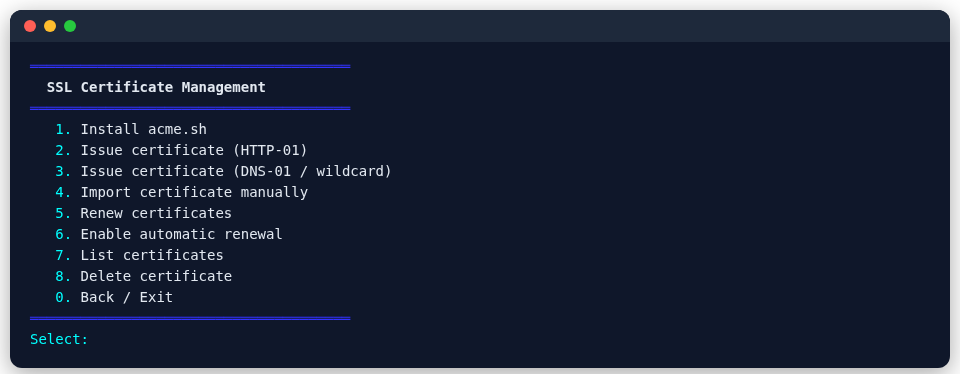
2. Create the node
Menu: main menu 4 → 4 (Nodes) → 2 (Vision).
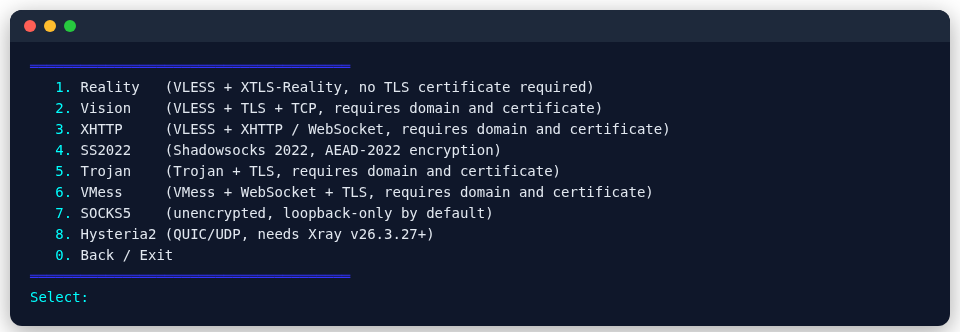
Command line:
bash
psm node add xray vision --tag my-vision --port 8443 --domain hk.example.com| Option | Meaning |
|---|---|
--domain | the node's domain; PSM uses that domain's certificate under /etc/nginx/ssl/ |
--mount-443 | put the node on shared port 443 next to other nodes |
--vless-enc x25519|mlkem768 | add VLESS Encryption on top |
3. Export for clients
bash
psm node export xray vision my-vision