
Quick start
This page gets your first node running. Start with VLESS REALITY: it needs no domain and no certificate, and it is currently the least fuss with strong censorship resistance. Xray, sing-box and mihomo all run REALITY, so pick any one of them; if you use Surge, you can create a Snell node instead.
1. Install PSM
Log in to the VPS as root and run:
bash <(curl -fsSL https://psm.jinqians.com)Then run psm to see the main menu:
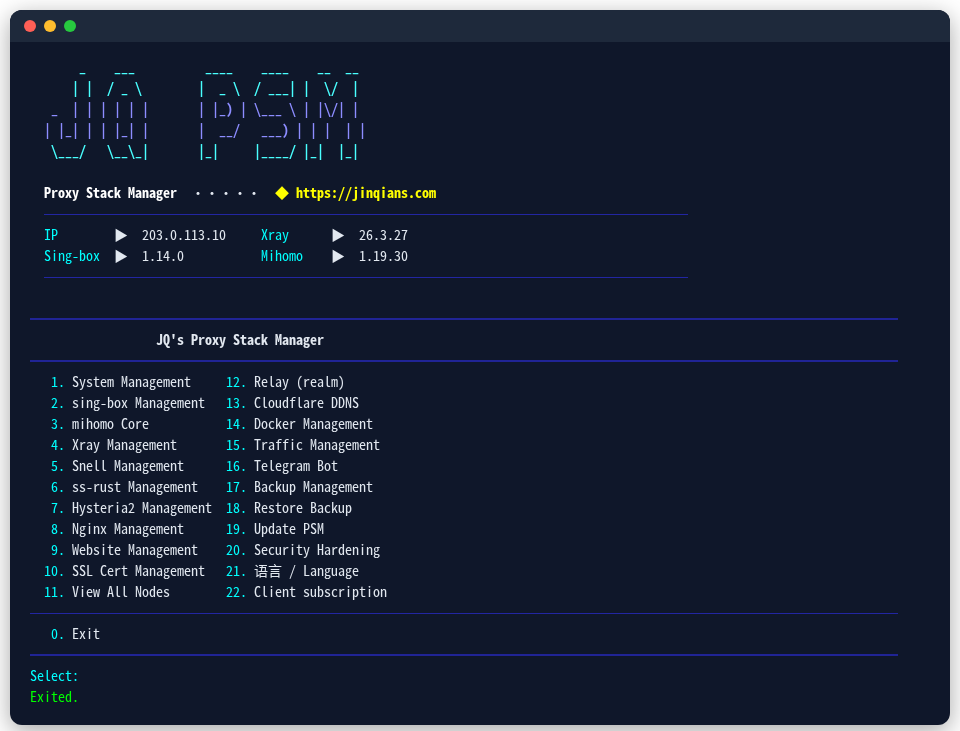
2. Install a core
The three cores can be installed side by side. If you are unsure, take Xray; how they differ: Xray / sing-box / mihomo.
Xray
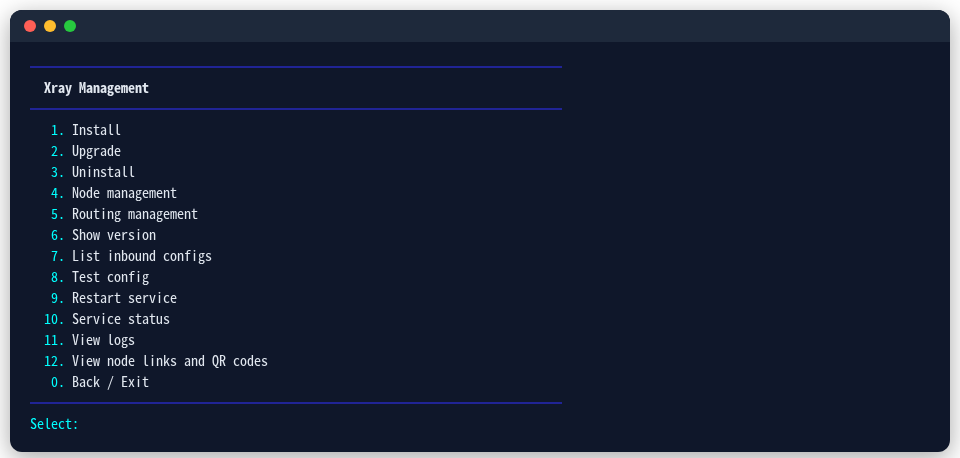
In the main menu choose 4 (Xray), then 1 (Install). REALITY, Vision and XHTTP come from Xray, and it counts traffic per user.
sing-box
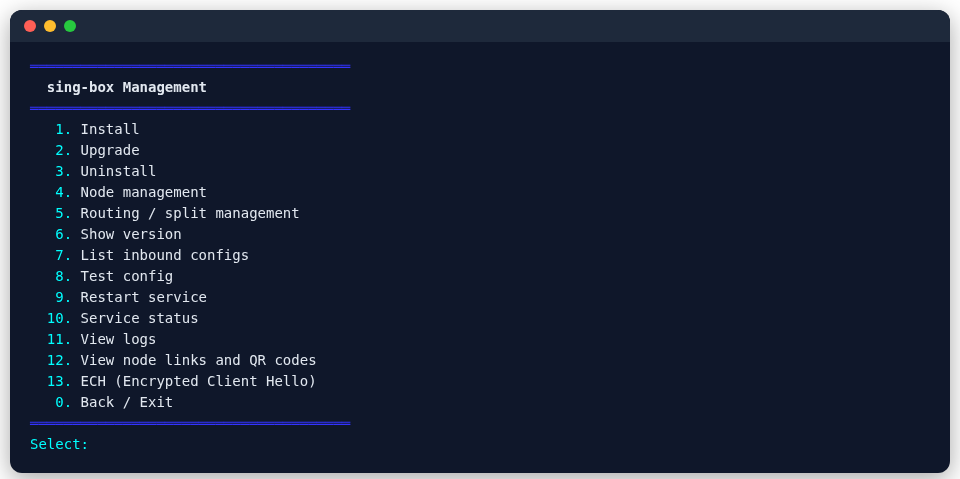
In the main menu choose 2 (sing-box), then 1 (Install), and pick a version when asked (the stable one is recommended). sing-box has the most protocols: Hysteria2, TUIC, AnyTLS, Snell and WireGuard are all here.
mihomo
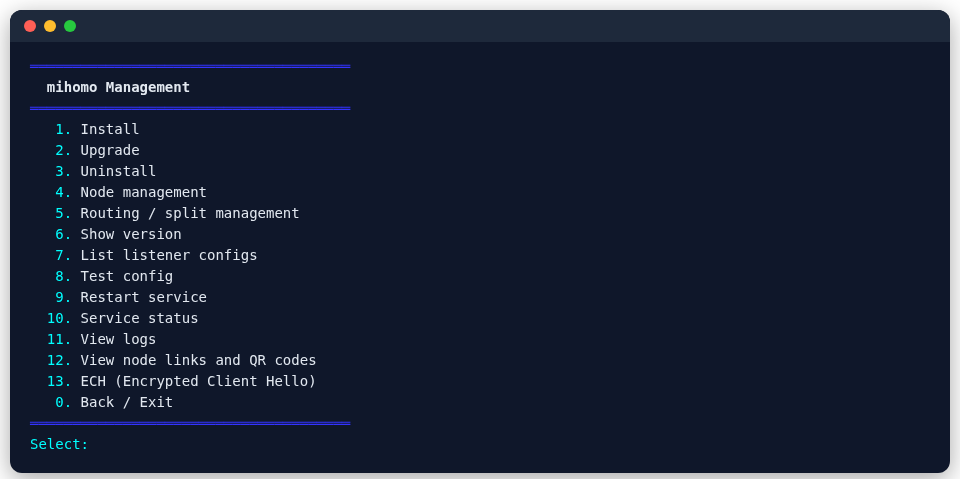
In the main menu choose 3 (mihomo), then 1 (Install). mihomo (formerly Clash.Meta) also runs REALITY, Hysteria2, TUIC, AnyTLS and Snell, and can add ShadowTLS.
Snell
Snell is Surge's protocol, and there are two ways to run it:
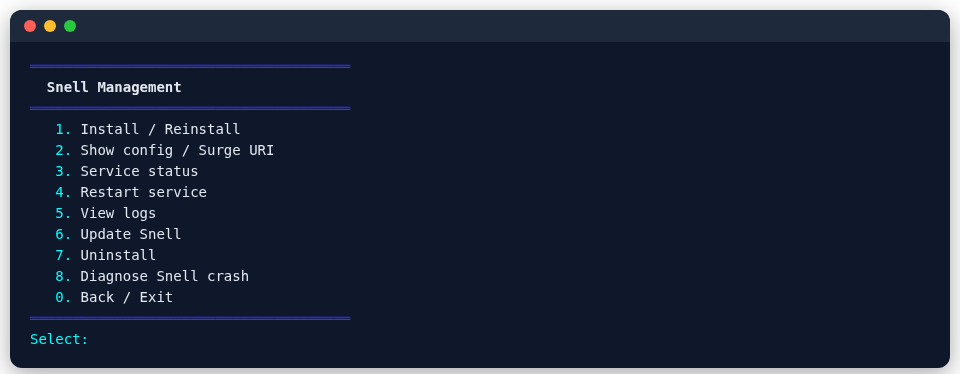
Recommended: the standalone Snell. In the main menu choose 5 (Snell), then 1 (Install); this runs the official snell-server installer, which asks for the version and port. Afterwards 2 (Show config / Surge URI) gives you the config. On Alpine the standalone Snell runs in Docker.
A Snell node on sing-box or mihomo. With either core installed, the next step creates it in one command (sing-box speaks v5 / v6, mihomo v4 / v5).
3. Create your first node
REALITY needs a camouflage target: a real website that speaks TLS 1.3, and not one behind a CDN (why: Choosing a protocol). Choose 4 (Nodes) in the core's menu and follow the prompts, or in one command:
psm node add xray reality --tag my-reality --port 443 \
--server-name TARGET --dest TARGET:443psm node add sing-box reality --tag my-reality --port 443 \
--server-name TARGET --dest TARGET:443psm node add mihomo reality --tag my-reality --port 443 \
--server-name TARGET --dest TARGET:443psm node add sing-box snell --tag my-snell --port 6160 --version 5PSM first tries a real handshake with the target through the core itself; if it fails, you are told, and no broken node gets created. UUIDs, keys and passwords are generated for you.
4. Get the share link and QR code
psm node export xray reality my-realityprints a link starting with vless:// (for the other cores, replace xray with sing-box or mihomo):

In the core's menu, 12 (View node links and QR codes) also shows the QR code; scan it with a phone client to import:

Snell has no standard share link; it uses one line of Surge config. For the standalone Snell, get it from 2 (Show config / Surge URI) in the Snell menu; a sing-box / mihomo Snell node is exported with a command:
psm node export sing-box snell my-snell
5. Import it into a client
| Platform | Common clients | How |
|---|---|---|
| Windows | v2rayN, Clash Verge Rev | copy the link, then "import from clipboard" |
| macOS | Clash Verge Rev, sing-box, Surge | same; for Snell, paste the line into Surge's [Proxy] section |
| Android | v2rayNG, NekoBox, sing-box | scan the QR code or import from clipboard |
| iOS | Shadowrocket, Stash, sing-box, Surge | scan the QR code; Snell goes into Surge the same way |
Select the node, turn the proxy on, and open any website to check.
Next
- Every protocol in detail: Protocol guides.
- Add a Hysteria2 node for lossy networks (UDP, faster on bad links).
- Put several nodes on one port: Sharing port 443.
- Give family and friends their own access: Per-user accounts.
- Import every node at once: Subscriptions.