
Telegram bot
With a Telegram bot configured, PSM sends its notifications to Telegram:
- a node reaching 90% of its traffic, or pausing when it is used up;
- nodes and users about to expire, or expired;
- a daily health report: service status, traffic warnings, upcoming expiries, certificates, security status;
- alerts such as a honeypot catching a scanner, and relay status reports.
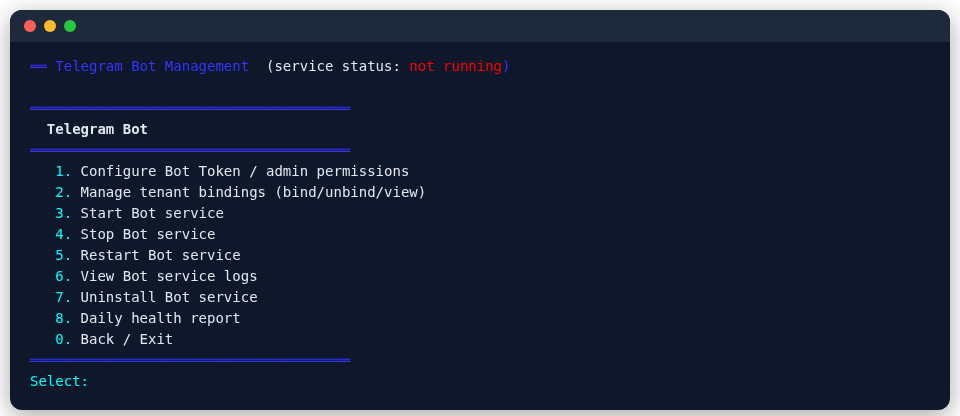
Set it up in main menu 16 (Telegram Bot):
Setup
- In Telegram, create a bot with @BotFather and copy its token.
- In the menu choose Configure bot token / admins, and enter the token and your own Telegram user ID (the admin).
- Choose Start the bot service. From then on, message the bot to use it.
- Turn on the daily health report if you want it.
Admins and tenants
- Admins see and manage every node's traffic from Telegram and handle renewals.
- Tenants: when you lend a node to someone, bind their Telegram user ID to the node's port under Manage tenant bindings. When they message the bot, they see only that port's usage.
For per-person accounts, per-user accounts are the better fit; the traffic rules are in Traffic quotas and expiry.