
Snell (recommended)
Snell is the Surge team's proxy protocol, built into Surge, with no domain or certificate needed. PSM offers Snell three ways:
| Way | Versions | Notes |
|---|---|---|
| Standalone snell-server | v4, v5, v6 | recommended; main menu 5 (Snell) runs the official installer, or psm standalone and PSM Panel install it without questions; on Alpine the menu runs it in Docker |
| sing-box node | v5, v6 | needs sing-box 1.14 or later, which PSM installs by default |
| mihomo node | v4, v5 | can add a ShadowTLS layer |
Standalone snell-server
Choose 5 (Snell) in the main menu:
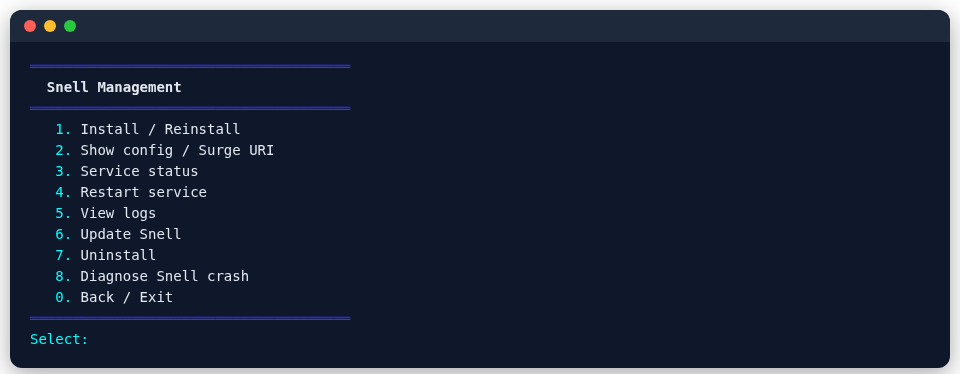
- 1 (Install / reinstall): downloads and runs the official snell-server installer, which asks for the version, port and so on.
- 2 (Show config / Surge URI): shows the Surge config, to paste into the
[Proxy]section of your Surge profile. - 6 (Update) and 8 (Diagnose crashes): update the program, or find out why it fails to start.
Multiple users
1 (Install / reinstall) opens the official snell.sh's full menu, where 7 (Multi-user management) gives each person their own port and PSK, each an independent service, so removing one leaves the others alone; 8 (Version management) even lets different users run different Snell versions.
Note: PSM's traffic accounting currently counts only the main user's port; ports added under multi-user management are not counted.
The official snell-server does not run on musl, so on Alpine PSM runs it in Docker (asking first whether to install Docker).
From the command line (v4 / v5 / v6)
To skip the interactive menu, psm standalone installs the official snell-server with one command, with the version, port and PSK you choose:
psm standalone install snell --port 6160 --version 5 --psk YOUR_PSK   # PSK generated when left out
psm standalone export snell --server YOUR_IP --name hk-snell           # Surge line
psm standalone remove snell --yes
--version is 4, 5 or 6 and installs the newest official build of that major version (v6 is still a beta upstream: its newest beta or release candidate). The config goes into the same file the menu uses, so the menu's show-config and traffic screens keep working. Standalone Snell nodes made in PSM Panel are installed this way. Not on Alpine (the official program does not run on musl).
On sing-box or mihomo
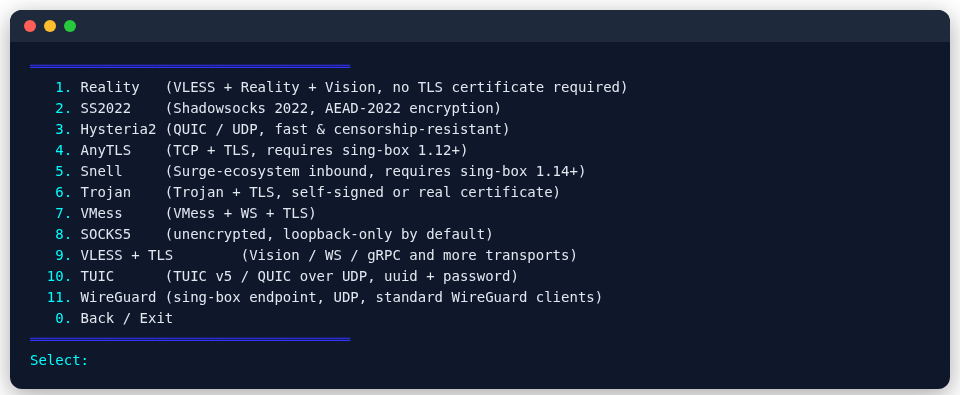
Menu: sing-box main menu 2 → 4 (Nodes) → 5 (Snell); mihomo main menu 3 → 4 → 5.
Command line:
psm node add sing-box snell --tag my-snell --port 6160 --version 5| Option | Meaning |
|---|---|
--version | 5 or 6 on sing-box; 4 or 5 on mihomo |
--psk | pre-shared key; generated when left out |
--shadow-tls-sni | mihomo only: wrap it in ShadowTLS v3 with a real TLS 1.3 website as the target (not together with obfs) |
Snell has no standard share link; the export is one line of Surge config, to paste into the [Proxy] section of your Surge profile:
psm node export sing-box snell my-snell